JetPallet Try it free

For e-commerce, Amazon FBA and marketplace sellers

How many of my boxes fit on a pallet – and does it meet the warehouse rules?

You ship to a fulfilment centre that sets limits for height, weight and labelling. JetPallet works from the single product through the master carton to the finished pallet: a 400 × 300 × 250 mm carton gives 8 cartons per layer on a Euro pallet. You enter your receiver’s limits, and the app shows how many layers they allow and whether the labels face outwards.

What you end up with

  • Layer plan in 2D and 3D with key figures
  • Pallet labels (PDF) with SSCC and GS1-128
  • PDF packing report with your own logo
  • Packing instruction for the packing station or supplier
  • Carton positions as CSV or JSON

Where the first pallet shipment gets stuck

Most questions come up just before the goods leave:

  • How many units go in a master carton? Your supplier suggests a size, but you can’t tell whether it works on the pallet.
  • How tall can the pallet be? Many warehouses set a total height including the pallet and a maximum weight. Stack too high and the load may be refused or repacked.
  • Which side carries the label? If a carton’s label faces inwards, receiving can’t scan it without breaking down the pallet.
  • Which pallet label do I need? SSCC, GS1-128, gross weight – terms that appear in every guide and are rarely explained.

A spreadsheet answers the first question at best, and only for the simplest grid.

1200 mm800 mm1410 mm
Single-SKU pallet: 40 cartons in 5 layers with tier sheets, edge protection and strapping. Illustration, calculated with this page’s web calculator.

Workflow

How you work with JetPallet.

  1. 1

    Enter the product and the quantity you want

    In the master carton calculator you enter product dimensions and units per carton. JetPallet suggests arrangements and outer dimensions and shows, for each one, how many products end up on the pallet. If you already have cartons in stock, check them against your product in the stock carton list.

  2. 2

    Add your warehouse’s limits

    Maximum total height, permitted weight, pallet type: these come from your receiver, not from the app. Besides the Euro pallet you can pick industrial and half pallets or the US pallet 48 × 40 in, and type inches and pounds directly.

  3. 3

    Check the pattern and the label side

    The app calculates the layer pattern as you type and checks every layer geometrically. Under “Layer sequence” you choose whether the label sits on the long or the short side of the carton. Cartons whose label faces inwards are highlighted in the layer view.

  4. 4

    Print labels and paperwork

    Finally you print pallet labels with SSCC and a GS1-128 barcode and, where needed, add a PDF packing report or packing instruction for yourself or your supplier.

In detail

In detail

01

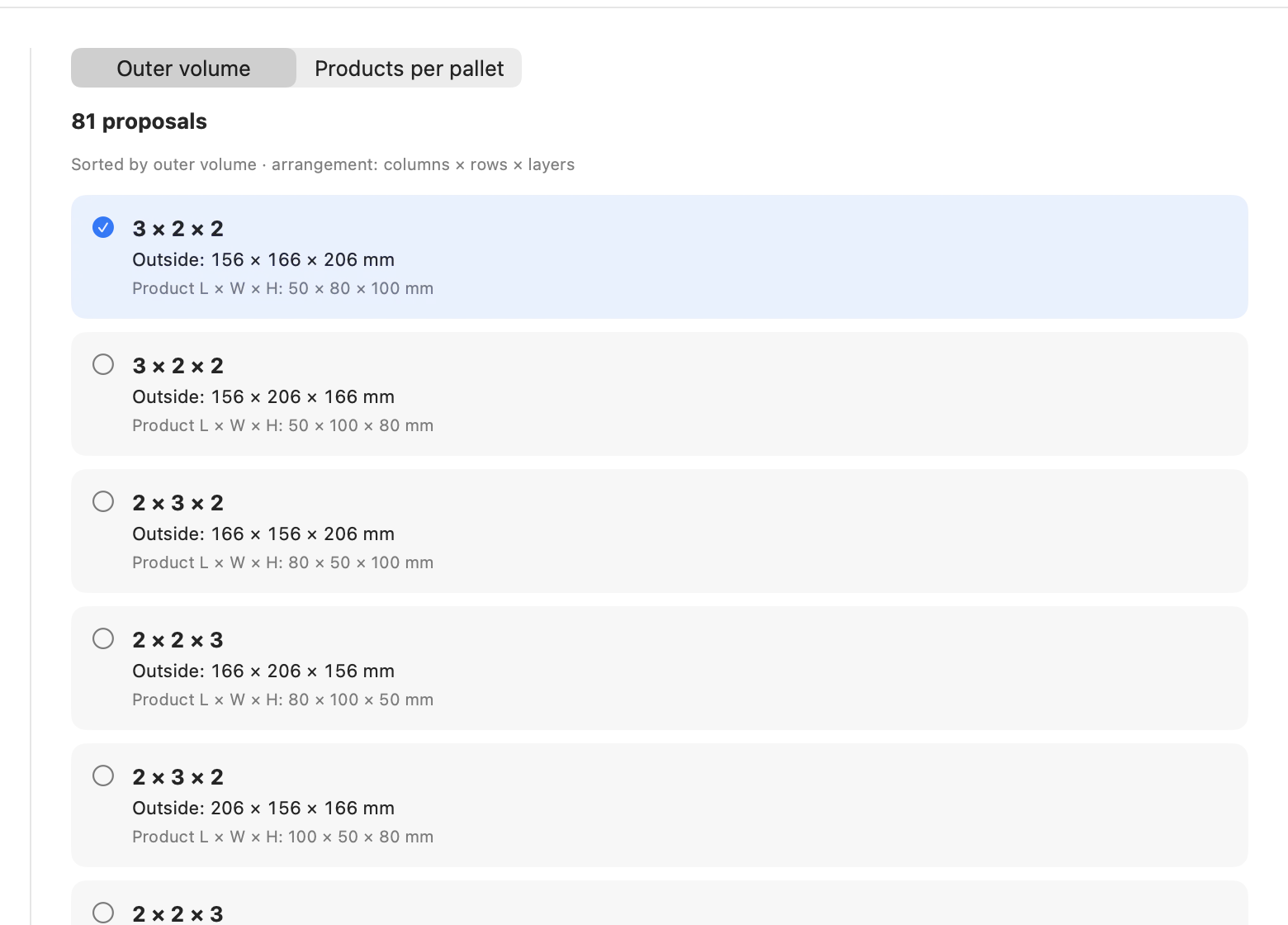
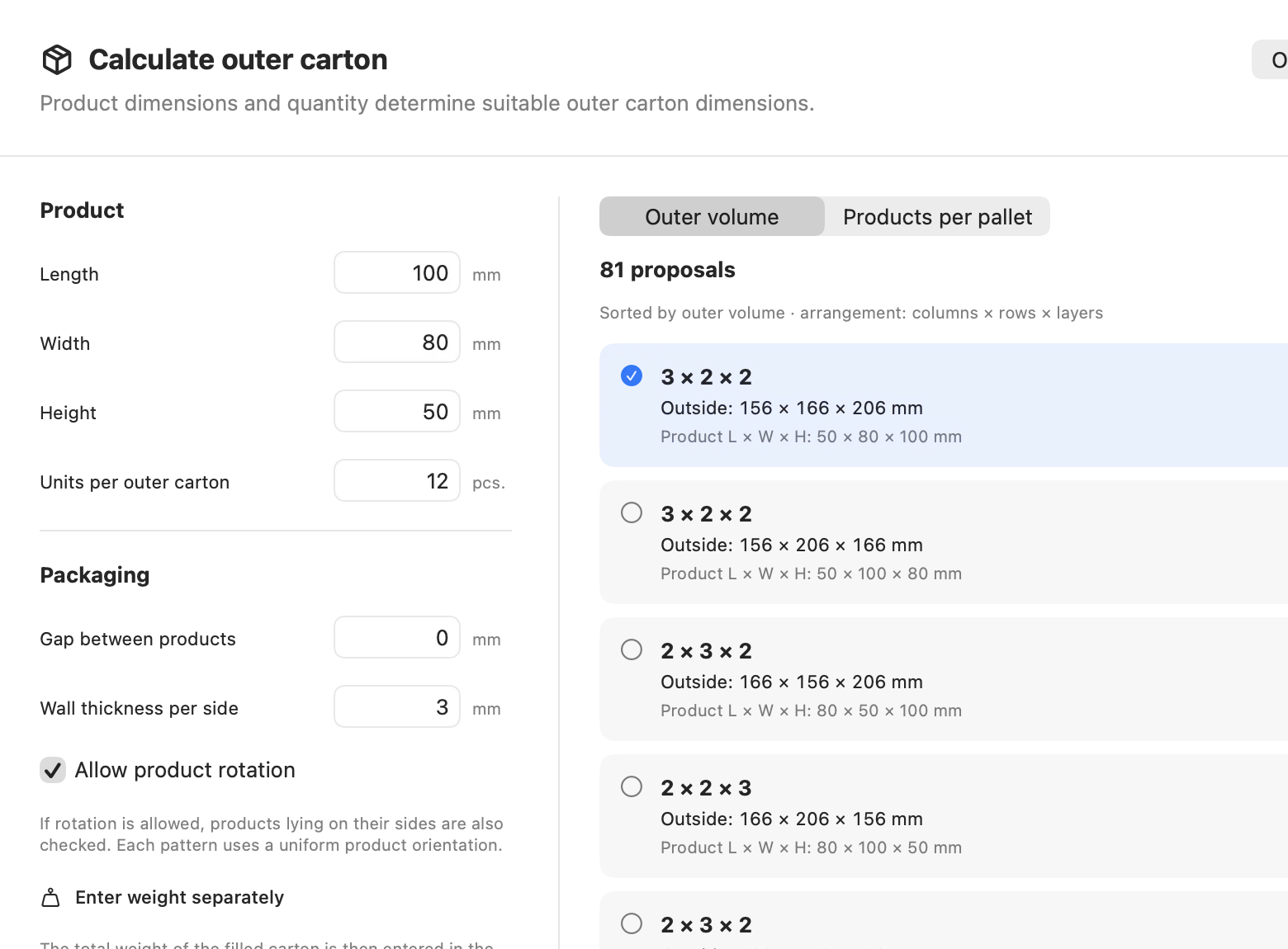
Master carton from product dimensions

The master carton calculator starts from the single product and ranks arrangements by products per pallet, not by the neatest box. You see whether 12 or 16 units per carton put more goods on the pallet. The “Product dimension comparison” tool also shows what a small change to the retail packaging would do.
Master carton from product dimensions
Actual JetPallet interface.

02

Layer plan with height and weight

Every change to carton size, height or weight recalculates the pattern straight away. Besides grid and two-block, JetPallet tries pinwheel, five-block and further pattern families. The sidebar lists cartons per layer, layers, total height, gross weight and the centre of gravity of the load.

Layer plan with height and weight
Actual JetPallet interface.

03

Labels facing out

The label check counts, per layer, how many cartons turn their label towards the edge of the pallet – for example “Label outside: 8 of 12 per layer”. It is purely geometric: it knows which side of the carton carries the label, not at what height.

04

Pallet labels with SSCC

JetPallet creates pallet labels as PDF in A6 portrait or A5 landscape, with SSCC-18 and a GS1-128 barcode. The SSCC is built from your GS1 company prefix, which you get from GS1; the app never invents numbers and only advances the serial number when you tell it to. Gross weight is printed as its own data element.

05

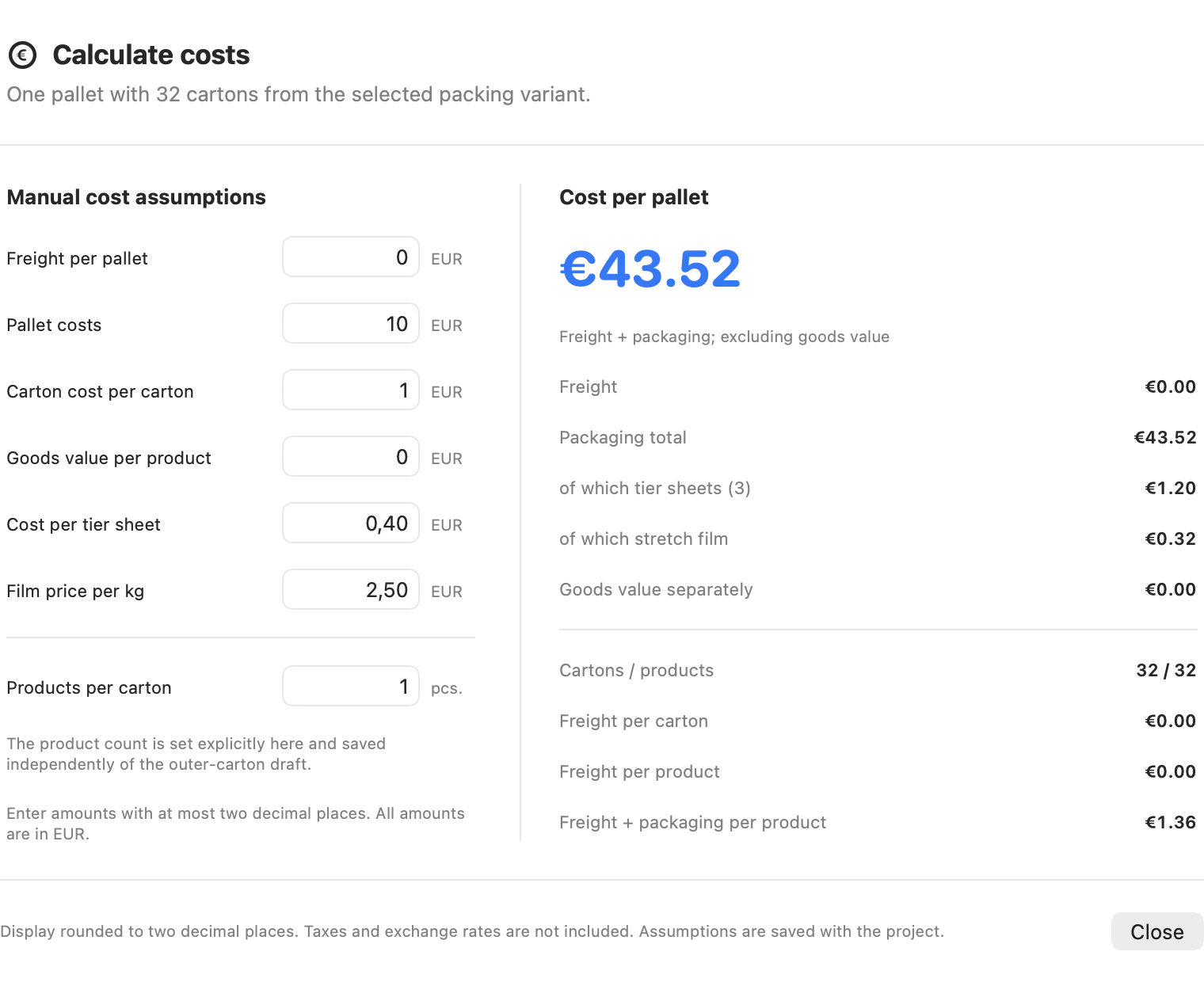
Cost per unit

Enter freight per pallet, pallet cost and cost per carton, and the app works out packaging and freight cost per product. JetPallet does not estimate freight rates – the figures come from your own quotes.

Cost per unit
Actual JetPallet interface.

Questions

Frequently asked questions.

Does JetPallet know Amazon’s pallet requirements?

No. The app has no marketplace connection and no built-in warehouse rules. You enter maximum height, weight and label side yourself; JetPallet calculates the pallet and checks it against those values.

Do I need my own GS1 number for the pallet label?

Yes. An SSCC consists of your GS1 company prefix, an extension digit, a serial reference and a check digit. JetPallet calculates the check digit and the barcode; the company prefix has to come from you.

Can I try the calculation without the app?

Yes. The web calculator on this site answers how many boxes fit on a pallet, free and in your browser. You need the app once master cartons, labels, pallet labels or reports come into play.

Work out your first pallet

Start with the free web calculator or try JetPallet on your Mac for 14 days. After that the subscription is USD 99 a year, with every feature included.

Try it free

Free for 14 days · then USD 99/year

Try it free14 days freeUSD 99/year