JetPallet Try it free

For vocational schools and training

How do you teach interlocking and pinwheel patterns so they stick?

A layer pattern makes sense once you watch it change. In JetPallet you type a carton size and the layer plan rebuilds – in 2D and 3D, with carton count, area use and an interlock figure. The board sketch becomes a calculation the class can check for itself.

What you end up with

  • Layer plan in 2D and 3D with carton count and area use
  • Variant comparison of pattern families
  • Interlock figure and suggested layer sequence
  • PDF packing report and packing instruction for coursework
  • Sample projects as starting points for exercises

Diagrams on the board stay still. Students’ questions don’t.

In packaging technology or warehouse logistics classes, questions come up that a sketch cannot answer: what happens if the carton gets 20 mm longer? Why is the second layer turned? When does a mixed pattern pay off? Each answer means another drawing.

Then there is the objection that specialist software gets expensive for a whole class. So this page starts with what costs nothing.

1200 mm800 mm510 mm
Cans Ø 100 mm upright in honeycomb: 104 instead of 96 per layer. Illustration, calculated with this page’s web calculator.

Workflow

How you work with JetPallet.

  1. 1

    Start in the browser

    The cartons-per-pallet calculator is free in the browser, with no installation and no account. It shows grid and two-block patterns – enough for a first lesson and for homework.

  2. 2

    Read up on the basics

    The layer patterns guide explains grid, two-block, pinwheel and five-block patterns with worked examples. It works well as pre-reading before an exercise.

  3. 3

    Go further in the Mac app

    With JetPallet on the teacher’s Mac or in a Mac lab, students compare patterns, switch layer sequences and rebuild layers by hand. The welcome window opens four sample projects – “Cartons on a Euro pallet”, “From product to shipping carton”, “Plan round packages” and “Multi-stop truck”; help is available in English and German.

  4. 4

    Hand in results

    Students export their result as a PDF packing report or packing instruction, which makes solutions easy to compare and mark without collecting screenshots.

In detail

In detail

01

Why two blocks hold more cartons

A 350 × 250 mm carton gives 9 per layer on a Euro pallet in a grid. Split the deck into two blocks with different orientations and 10 fit. A good exercise: have the class use the area bound to show why 11 is impossible.
1200 mm800 mm350 mm350 mm250 mm250 mm350 mm350 mm
Layer plan: carton 350 × 250 mm on 1200 × 800 mm – 10 per layer. Drawn by this page’s web calculator.

02

Pattern families side by side

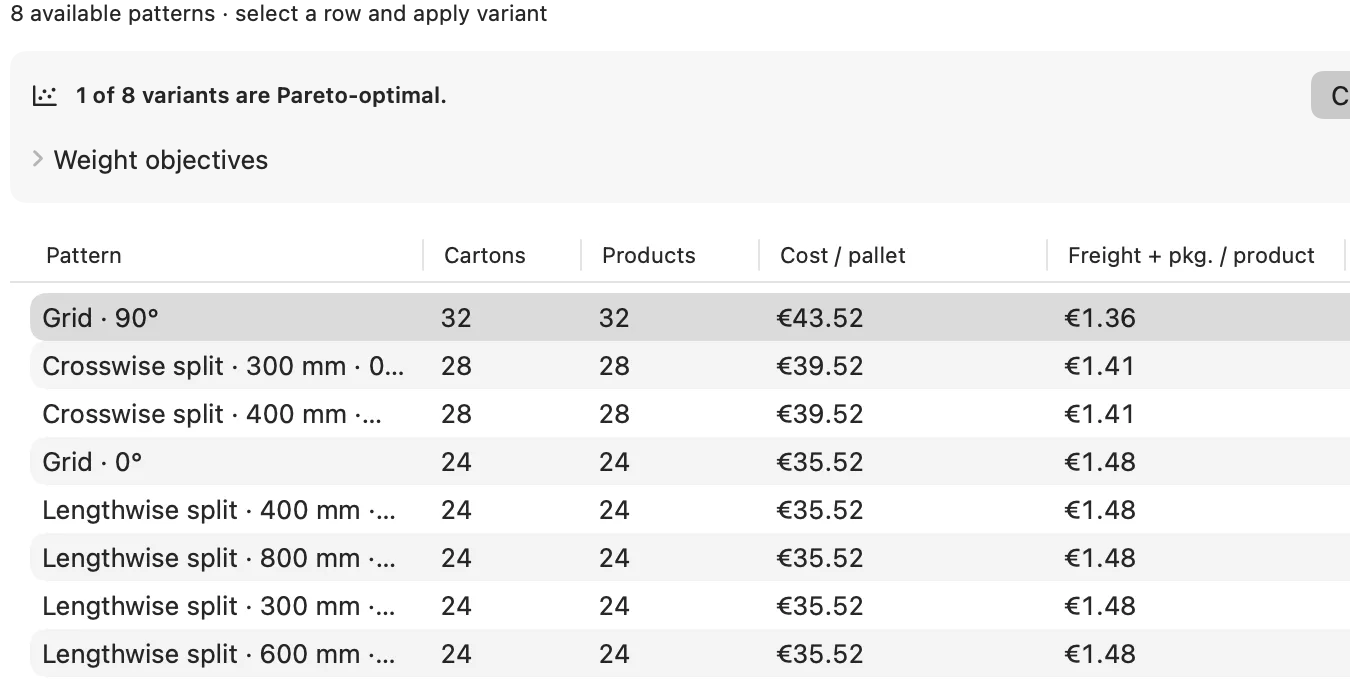
The variant comparison lists grid, two-block, pinwheel, five-block and other families with carton count and key figures. With 400 × 300 mm on 1,200 × 1,000 mm, the grid gives 9 and the two-block 10 cartons per layer.

Pattern families side by side
Actual JetPallet interface.

03

Interlocking you can measure

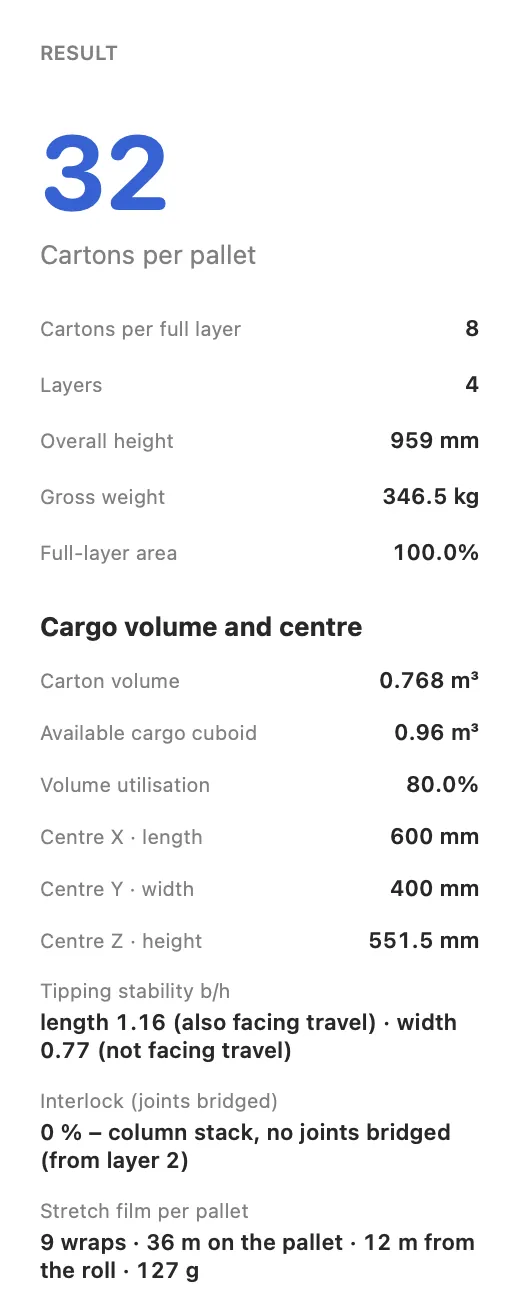
Switch the layer sequence between same, rotated by 180° and mirrored. The interlock figure shows how many cartons, at the weakest layer transition, rest on at least two cartons below. A plain column stack scores 0%. If another sequence interlocks better with the same carton count, JetPallet suggests it.

Interlocking you can measure
Actual JetPallet interface.

04

Build layers by hand

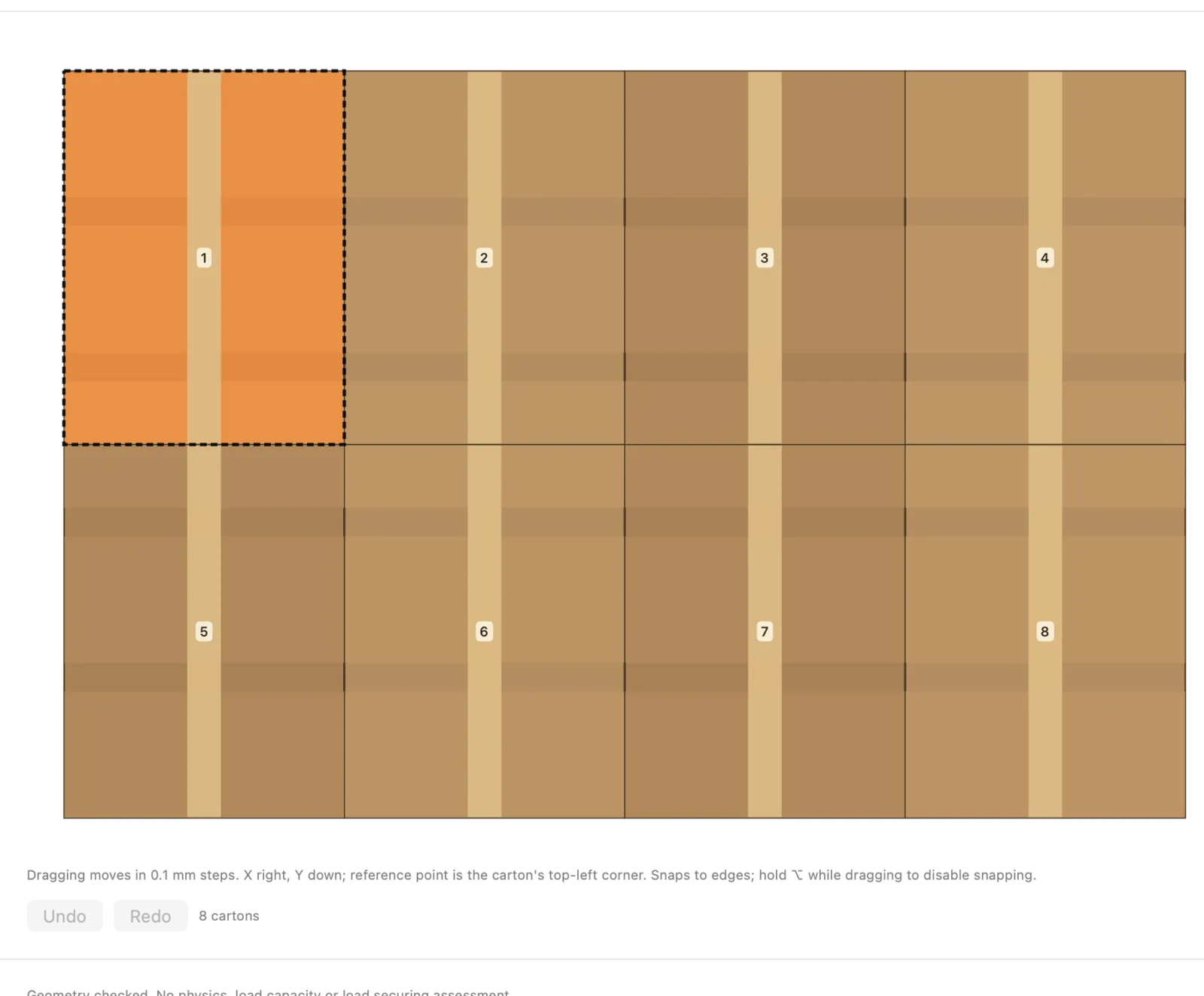
In the layer editor students drag and rotate cartons themselves. JetPallet checks every layer geometrically and flags overlaps, so “I think two more will fit” becomes a statement you can test.

Build layers by hand
Actual JetPallet interface.

05

From carton to truck – and to box strength

Advanced groups can follow the chain further: box compression as a McKee estimate, cargo space planning and axle loads, and load securing estimated with reference to EN 12195-1. It shows how the pieces connect – and gives you a natural point to discuss where an estimate stops.

Questions

Frequently asked questions.

Is there a discount for schools?

No, there is currently no education pricing. The browser calculator is free, and the app has a 14-day free trial. If your school wants to equip several workstations, write to the contact page.

Does JetPallet run on Windows PCs?

No. JetPallet is currently available only for the Mac, on macOS 15 or later. The web calculator, on the other hand, runs in any current browser.

Do students need an account?

There is no JetPallet account. The app calculates locally on the Mac with no cloud; only the subscription runs through the App Store. Projects are files you can share or upload to a learning platform.

Browser first, then the Mac

Start with the free web calculator. For lessons with pattern comparison, 3D and interlocking, try JetPallet free for 14 days; after that it costs USD 99 a year.

Try it free

Free for 14 days · then USD 99/year

Try it free14 days freeUSD 99/year